
Every next make, in one place
A knitting and crochet project tracker that keeps your place
The quick answer
Stashora is a knitting and crochet project tracker for iPhone and iPad. Keep your project’s pattern, yarn, needles or hooks, notes, photos, and row counts together. Find active, paused, and finished makes, use saved local projects offline, and review supported project changes before syncing with Ravelry.
 For iPhone and iPad · iOS 18 / iPadOS 18+
On this page
Find the make you are ready to pick up
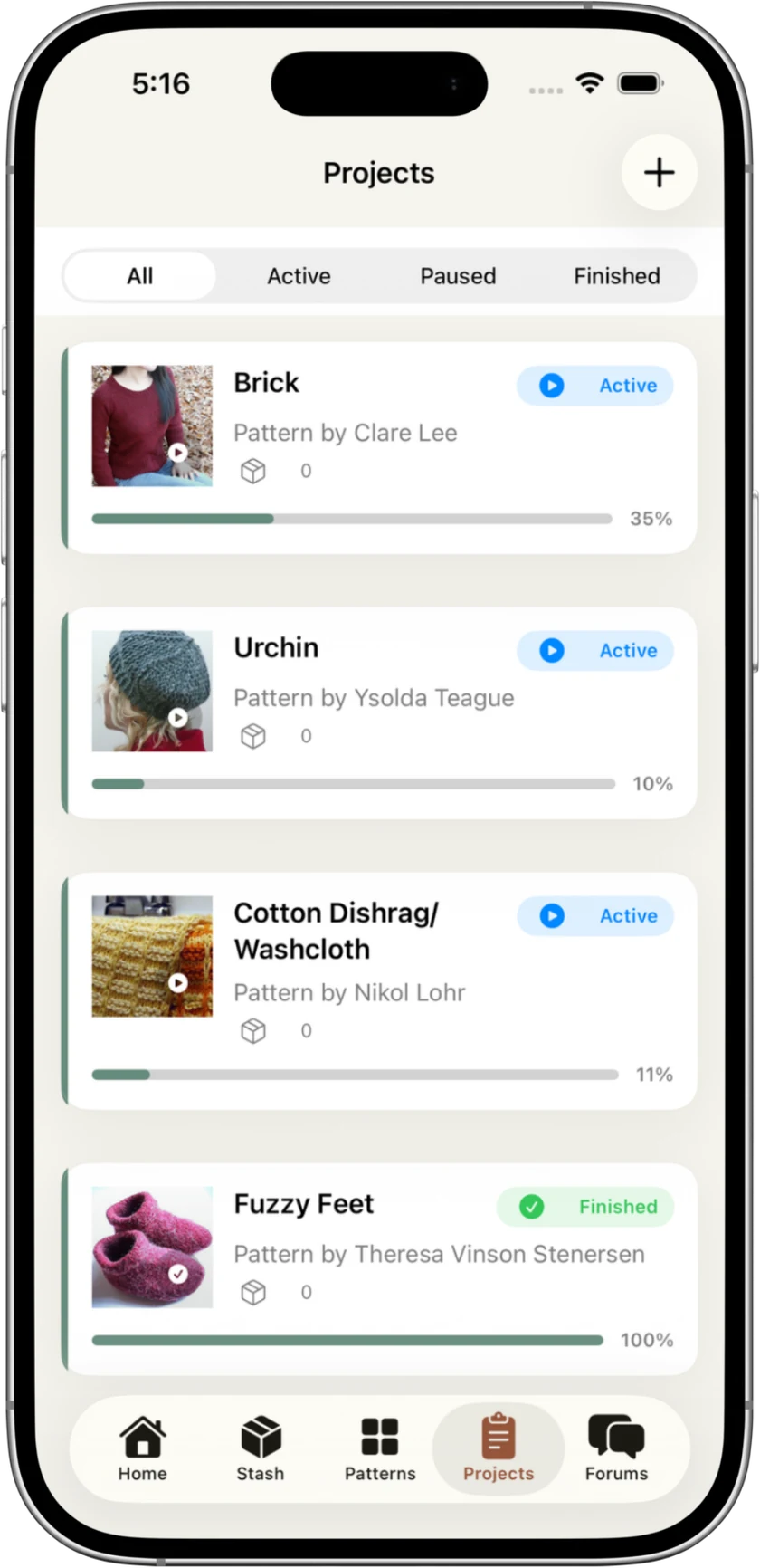
Your project list should help you return to a make, even when several are on the go. Stashora keeps knitting and crochet projects together, with photos and progress visible beside their names.
Use the All, Active, Paused, and Finished filters to find a make. Keep a paused make identifiable so that its pattern and notes are there when you are ready to continue.
Sources: Stashora on the App Store
Bring the pattern into the project routine
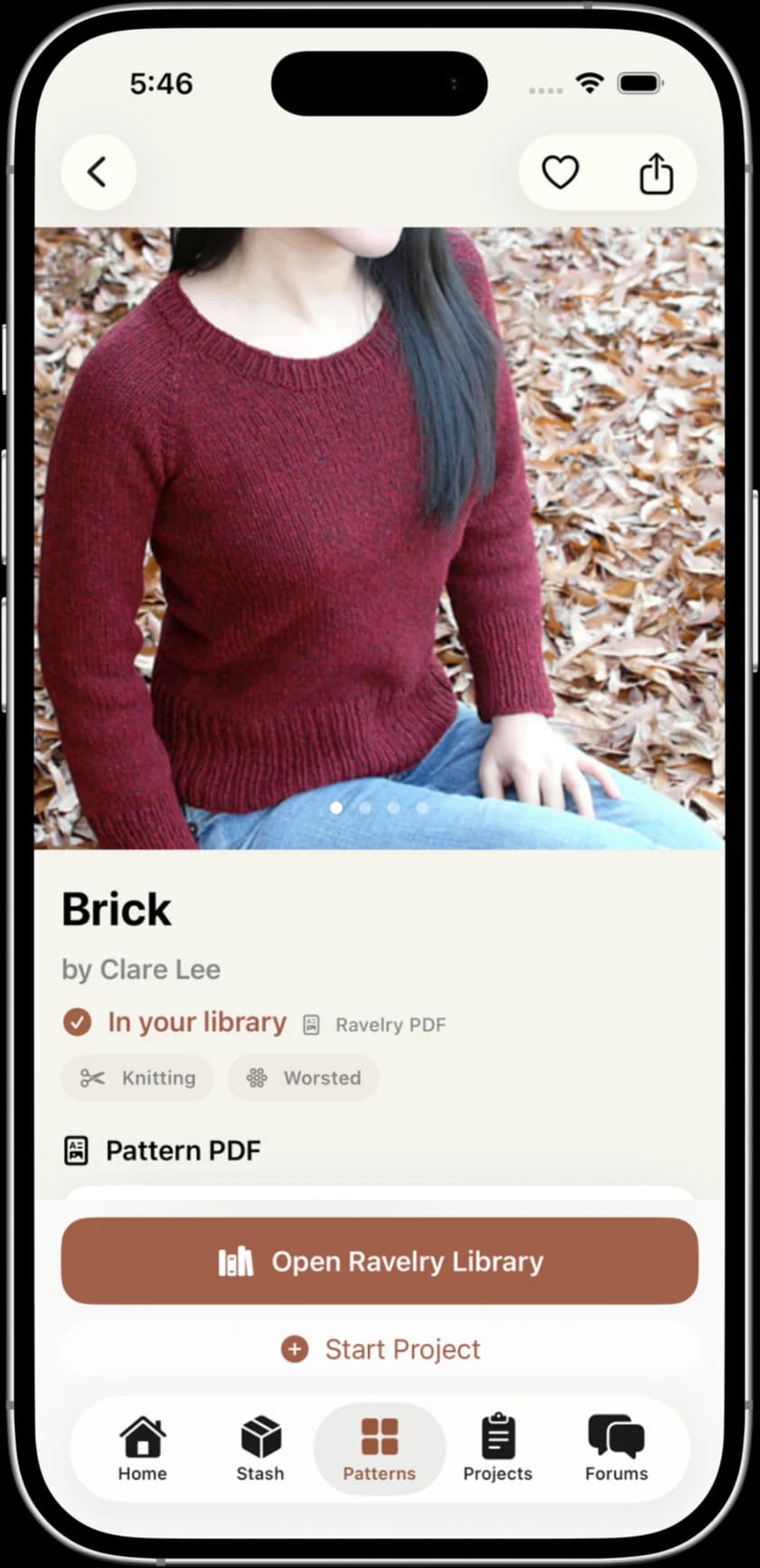
Browse your connected Ravelry library or open a design’s details. The pattern details show a Start Project action alongside library access. For available owned PDFs, download the files while connected before you plan to read them offline.
Keep the size, yarn, tools, and any changes with the project. PDF annotations and a reading guide help you work through saved instructions; your notes preserve decisions that the original pattern does not contain.
Sources: Stashora on the App Store
Pair row counts with a useful next-action note
Stashora includes row counters alongside your local project tools. Decide whether a count means completed rows or the next row to work, and use that convention consistently. For crochet, record whether your instructions refer to rows or rounds.
Example: “24 rows completed; next: repeat 4, row 1.” A count of 24 and that short note preserve more context than either one alone. Put shaping, color changes, and modifications in your notes instead of expecting a counter total to explain them.
Sources: Stashora on the App Store
Plan from the yarn you actually have
Keep your chosen yarn and tools with the project details. Before starting, compare the pattern requirement for your size with your available stock and calculate each color separately.
The free website skein calculator subtracts full skeins and matching leftovers from a stated pattern requirement. It does not write its result into the app or establish that a substitute yarn will produce the right gauge.
Keep making offline; review Ravelry updates when connected
Locally saved projects, stash, row counters, and downloaded PDFs are available offline in Stashora. Prepare your files and reopen them without a connection before leaving home.
When you reconnect, review supported stash and project changes before syncing with Ravelry. Local progress and the information sent to Ravelry are distinct: inspect the preview for the fields supported by your installed version.
Sources: Stashora on the App Store
Frequently asked questions
Can Stashora track both knitting and crochet projects?
Yes. Keep knitting and crochet projects with their patterns, yarn, needles or hooks, notes, photos, and row counts. The project list includes active, paused, and finished makes.
Does Stashora include a row counter?
Yes. Stashora includes row counters with its local project tools. Keep a note of your counting convention and the next instruction so the total remains meaningful when you return.
Do I need a Ravelry account to track projects?
No. You can organize projects and count rows locally without a Ravelry account. Connect an account for Ravelry library access and reviewed supported project sync.
Can I use the project tracker offline?
Yes, for locally saved projects, notes, row counters, stash, and downloaded PDFs. New pattern browsing, file downloads, forums, and Ravelry sync need internet access.
Sources and review
Written by Stashora. Product details checked on September 30, 2026. Worked examples and checklists are illustrative; they are not performance tests. Read our editorial policy.